|
How to do things AI Noob vs. Pro
List biggest files Free Open Source: Swiss File Knifea command line
Depeche View
command line
free external tools,
cpp sources
articles |
XMLStarlet is a command line tool with many functions for handling XML files, but the most interesting function discussed here is the reformatting of XML files, making them better "human readable".
today's software development is unimaginable without XML files. configuration data, request content, documentation - everything is packed into XML today, but often these files are not easy to read and nearly impossible to edit with a normal, straight text editor (the only way in which I edit xml's), simply because some generator bot didn't really care about the end user, or developer, who has to cope with it. to reformat the stuff,
xml format myinput.xml >myoutput.xmland get a well-formatted myoutput.xml. how to reformat many xml files in one command using the free swiss file knife, you can reformat many xml files in one go like this: 1. select the files you are interested in. for example:
sfk list . xml selects all .xml files from the current directory tree, like:
   apps\JSR172Demo\server\src\config.xml
   apps\JSR172Demo\server\src\jaxrpc-ri.xml
   apps\JSR172Demo\server\src\web.xml
2. extend the command to run xml.exe on each file:
sfk list . xml +run "xml format $file" -to pretty\$file -yes example output:
   written: pretty\apps\JSR172Demo\server\src\config.xml
   written: pretty\apps\JSR172Demo\server\src\jaxrpc-ri.xml
   written: pretty\apps\JSR172Demo\server\src\web.xml
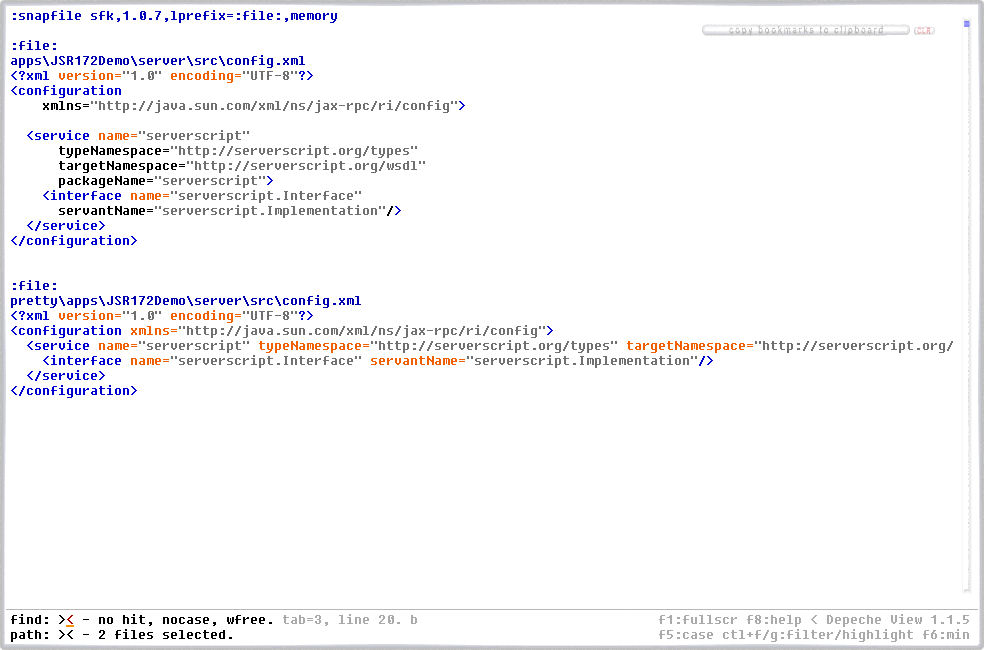
in this example, the reformatted contents are written into output files under a directory "pretty". let us view how config.xml was reformatted by:
dview . config.xml which simply displays all "config.xml" files in the current directory tree using depeche view:
further reading: how to reformat source code |